If you're searching for the best teen driving log app, the honest first observation is that "best" depends entirely on whether the app gets used.
A perfect app that gets opened twice and then forgotten is worse than a basic app that gets opened after every drive. Consistency over six or more months is what produces an accurate log. So the real question isn't "which app has the most features" — it's "which app will your teen and parent actually open every time?"
This guide walks through what to look for, why some apps fail in practice, and how Clocked is positioned.
What "permit hour tracking" actually requires
Most general-purpose driving apps were not built for supervised permit-hour logging. They were built for fleet tracking, insurance telematics, distracted-driving monitoring, or gamification. Those features are largely irrelevant to a teen working toward a license.
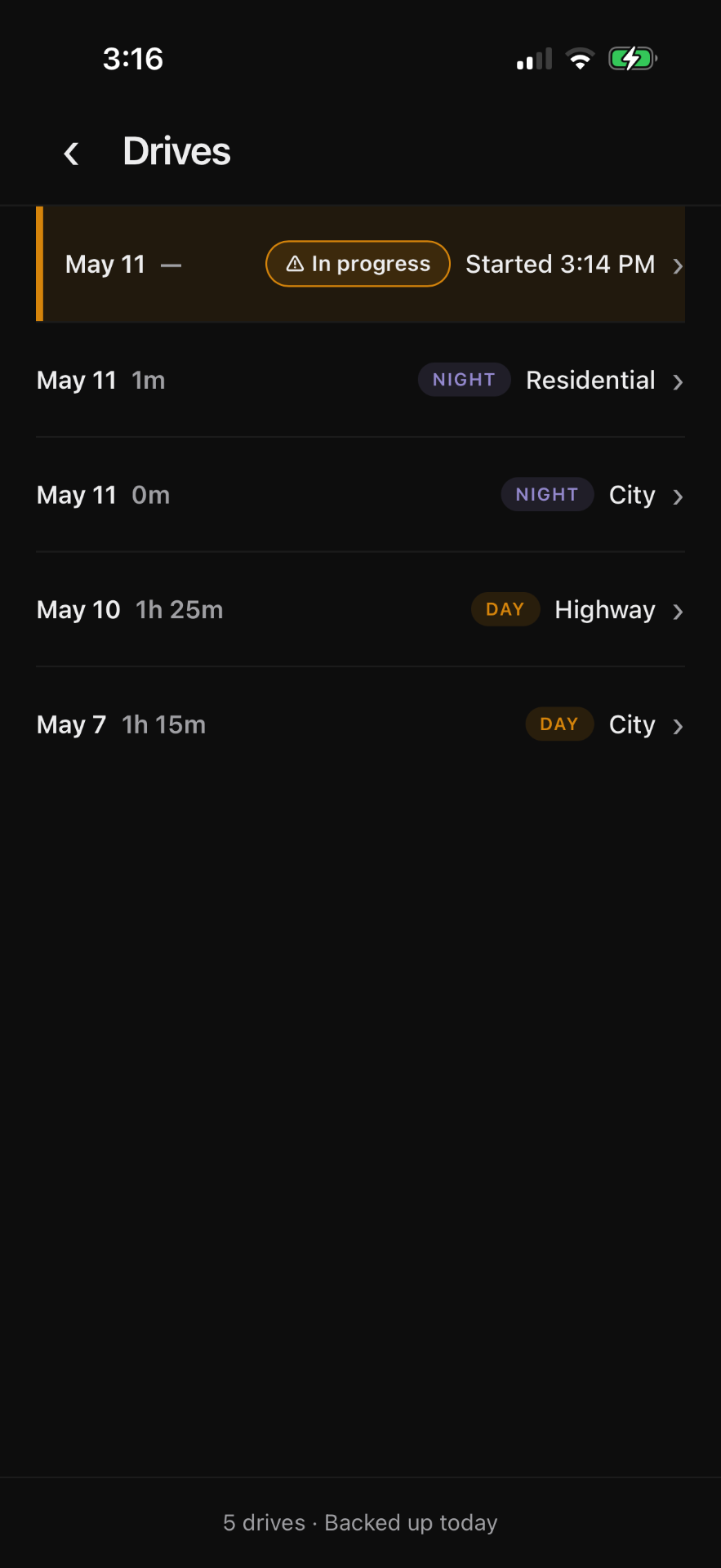
What a permit-hour log specifically needs is: state-aware requirements (each state has different minimums and different day/night splits), automatic classification of when a drive happened (day or night, based on actual sunset and sunrise — not a generic 7pm cutoff), reliable saving so a drive doesn't disappear when signal drops, easy correction when a session is missed, and a clean export that matches what a DMV record should look like.
Apps that solve the supervised driving problem specifically will have all of these. Apps that don't will usually be missing two or three of them, often in non-obvious ways.
Why paper and spreadsheets often work better than the wrong app
A surprisingly common pattern: families start with a generic driving app, find that it's awkward for permit-hour tracking, abandon it after a few weeks, and switch to a paper log or a hand-maintained spreadsheet. The paper log then quietly works because it's purpose-built (a piece of paper that you write hours on) even though it has obvious downsides.
The lesson is that fit matters more than features. A focused tool beats a powerful but mis-fit one for this specific job.
| Approach | Strength | Weakness |
|---|---|---|
| Paper log | Simple, no setup | Easy to lose, hard to total accurately |
| Spreadsheet | Flexible, totalable | Manual entry friction, formatting drift |
| Notes app | Always with you | Disorganized, no totals |
| General driving / fleet app | Feature-rich | Not designed for permit-hour workflow |
| Dedicated permit tracker | Built for the job | Limited to permit use case |
What we focused on with Clocked
Clocked is in the last row of that table. It's not trying to be a general-purpose driving app. It tracks supervised driving hours toward state permit requirements, classifies day versus night using local sun position, saves every drive on the device first (before cloud sync, so loss is rare), supports manual entry for missed sessions, and exports a PDF formatted to look like a state driving log.
That focus is intentional. The first version of Clocked deliberately does not include GPS tracking, gamification, social features, or insurance integration. Adding those would dilute the workflow the app is actually optimized for. We expect to add features over time, but the supervised driving log itself is the entire product.
Reliability is the underrated feature
The thing families care about most, in our experience, is not features — it's confidence that the log they're building won't be lost.
Clocked saves every drive locally on the device the moment you stop tracking. Cloud sync happens afterward as a backup. If your phone has no signal during a drive, nothing is lost. If the cloud is briefly unavailable, the local record still exists. If you reinstall the app, the cloud sync restores everything.
That architecture (local-first with cloud backup) is not flashy, but it's the thing that makes families trust the log enough to actually use it.
What "best" means for you
The best driving log app for your family is the one your teen will open after every drive without complaining, and the one a parent can glance at to see real progress against the state's requirements. For some families that's a piece of paper. For others it's a spreadsheet. For many it's a dedicated app like Clocked.
If you're considering a dedicated app,